
Have you noticed someone missing from the FamilySearch tree? Perhaps a deceased aunt, uncle or other relative?
To add a deceased relative to the tree, sign in to FamilySearch and find the person’s parents either by navigating through the tree or searching for them.
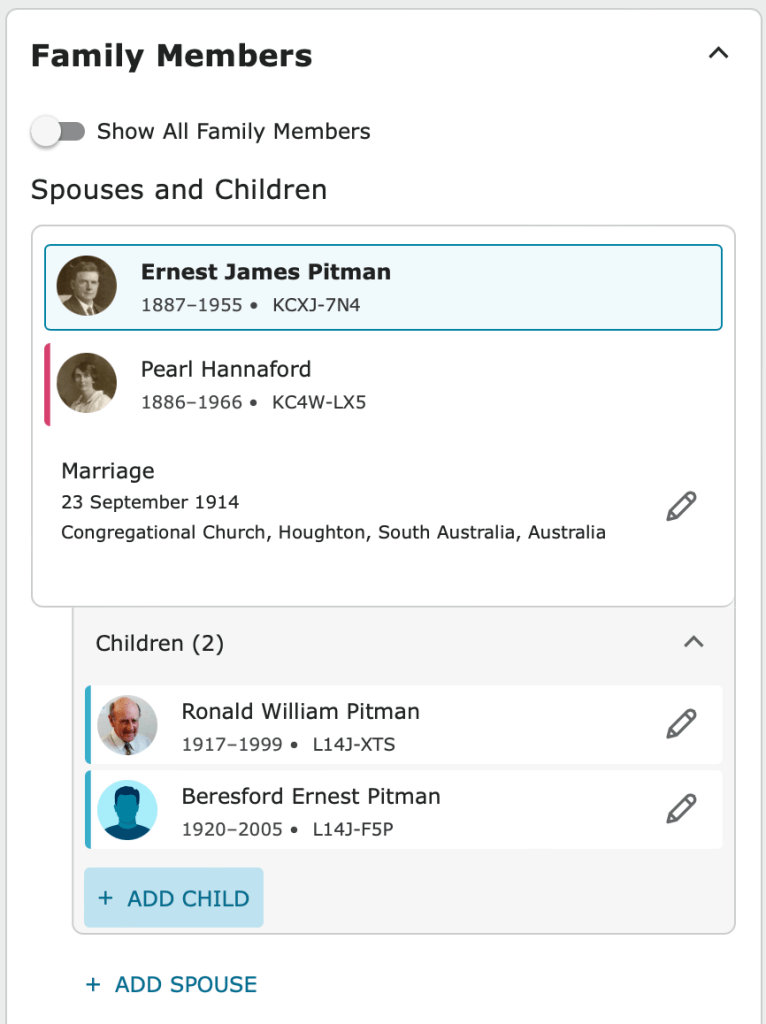
Choose the Details tab and scroll down to the Family Members section of the page.
Click Add Child.
- Enter their Full Name. Make sure you enter their birth/maiden name, not a married name.
- Enter Sex and mark as Deceased
- Enter Birth and Death dates and places as accurately as possible.
- Click Next
If you don’t have all their details, enter as much as you can. Someone else may be able to fill in the gaps later.
Checking for a match
Before the person is added, FamilySearch will perform a check to make sure the person has not been added to the tree already. For example, someone may have recorded them as the spouse of another person, but didn’t know enough about their parents to link them correctly.
If the correct person is found during this check, click on Add Match. If not, you will need to Create Person.
Tip! The deceased person you add to FamilySearch is there for everyone to see. Try to get the details correct first time.
 Pitman Families in Australia